In the free Bible Garden app for iPhone and iPad, you can build a Bible reading sequence from two kinds of steps: a reading, with its own translation, narrator, speed, and text size, and a pause lasting a few seconds. For example:
Berean Standard Bible (Bob Souer) → 2-second pause → World English Bible (Winfred Henson) → 2-second pause
The whole sequence repeats for each verse, paragraph, section, or chapter — you choose. All the selected translations appear together on screen. Here is how to set up multiple audio Bible translations, adjust the pace, and add pauses between verses, with five setups you can use right away.
Multi Reading: build a sequence of readings and pauses
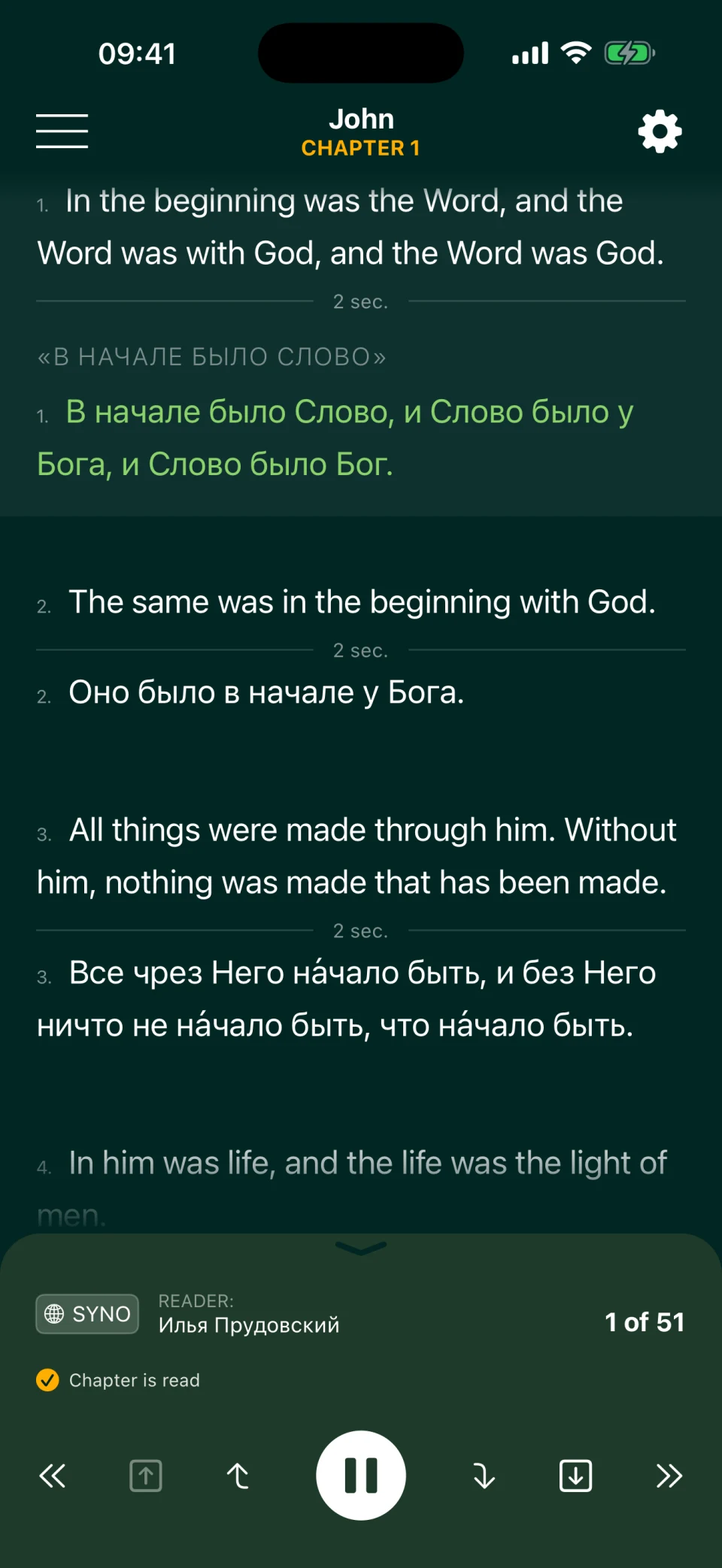
Multi Reading is Bible Garden's key feature. Choose how many translations play, their order, the languages, and the pauses between them. There is no limit on the number of steps: each verse can play in two, three, or more translations, with all their texts beneath it on screen. The verse being read is highlighted, and the text scrolls automatically.
The recordings play one after another. Choose how much text each narrator reads before the next step begins:
- Verse: one verse in the first translation, then the same verse in the next; useful for comparing wording.
- Paragraph: a connected passage in one translation, then in the next.
- Section: the passage between headings, such as the whole parable of the prodigal son.
- Chapter: the entire chapter in one translation, then in the next.
Paragraph and section boundaries come from the first translation in your sequence. BSB has more paragraph breaks than Russian Synodal, so BSB is a useful first step for paragraph-by-paragraph bilingual reading.
Try John 1:1–5 below: each verse plays in English BSB, read by Bob Souer, then in Russian Synodal, read by Ilya Prudovsky, with two-second pauses.
Listen to John 1:1–5 in two languages
A Berean Standard Bible (BSB) · Bob Souer
B Russian Synodal Bible · Ilya Prudovsky
- 1
In the beginning was the Word, and the Word was with God, and the Word was God.
В начале было Слово, и Слово было у Бога, и Слово было Бог.
- 2
He was with God in the beginning.
Оно было в начале у Бога.
- 3
Through Him all things were made, and without Him nothing was made that has been made.
Все чрез Него на́чало быть, и без Него ничто не на́чало быть, что на́чало быть.
- 4
In Him was life, and that life was the light of men.
В Нем была жизнь, и жизнь была свет человеков.
- 5
The Light shines in the darkness, and the darkness has not overcome it.
И свет во тьме светит, и тьма не объяла его.
How to build your own sequence
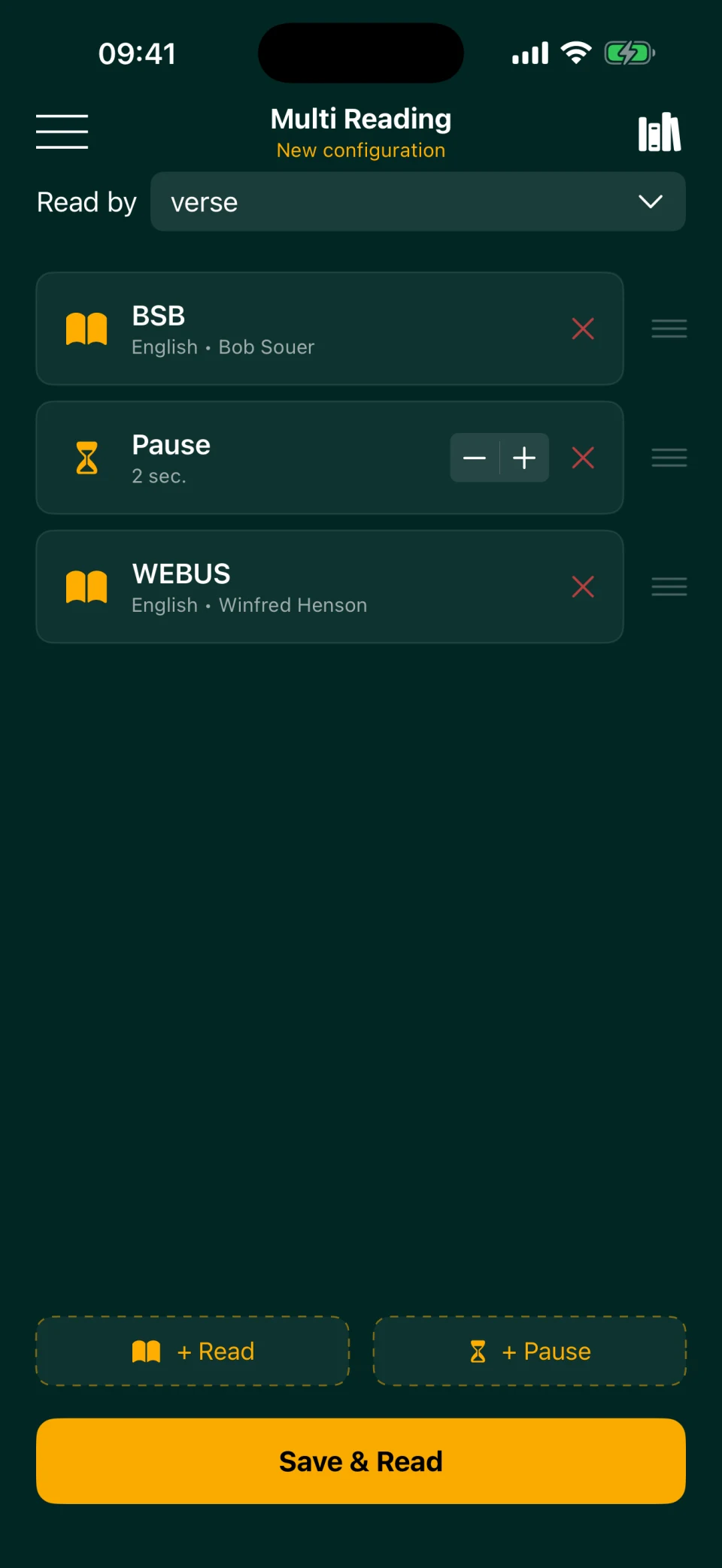
- Open Multi Reading on the home screen and create a new configuration.
- Tap + Read and choose a language, translation, and narrator. Set this step's audio speed and text size here too.
- Tap + Pause and set its length: 1–60 seconds, with a default of 2.
- Add more readings and pauses. Drag steps to change their order.
- Under Read by, choose verse, paragraph, section, or chapter.
- Tap Save & Read and give the setup a name, or read without saving it.
- On the reading screen, tap the book and chapter name at the top, choose a chapter, and tap Play.
Saved setups live in the template library. Load one with a tap, rename it, update it, or delete it. You might keep “Morning: two translations,” “Memorize,” and “Family.” Templates stay on this device; the app has no accounts or syncing between your iPhone and iPad.
You can also add the same translation twice. Try BSB → 5-second pause → BSB: each verse plays twice, with time to say it aloud between readings. You can use the same narrator or two different voices. See How to Memorize Bible Verses for ways to practice.
Pace: a separate speed and text size for each reading
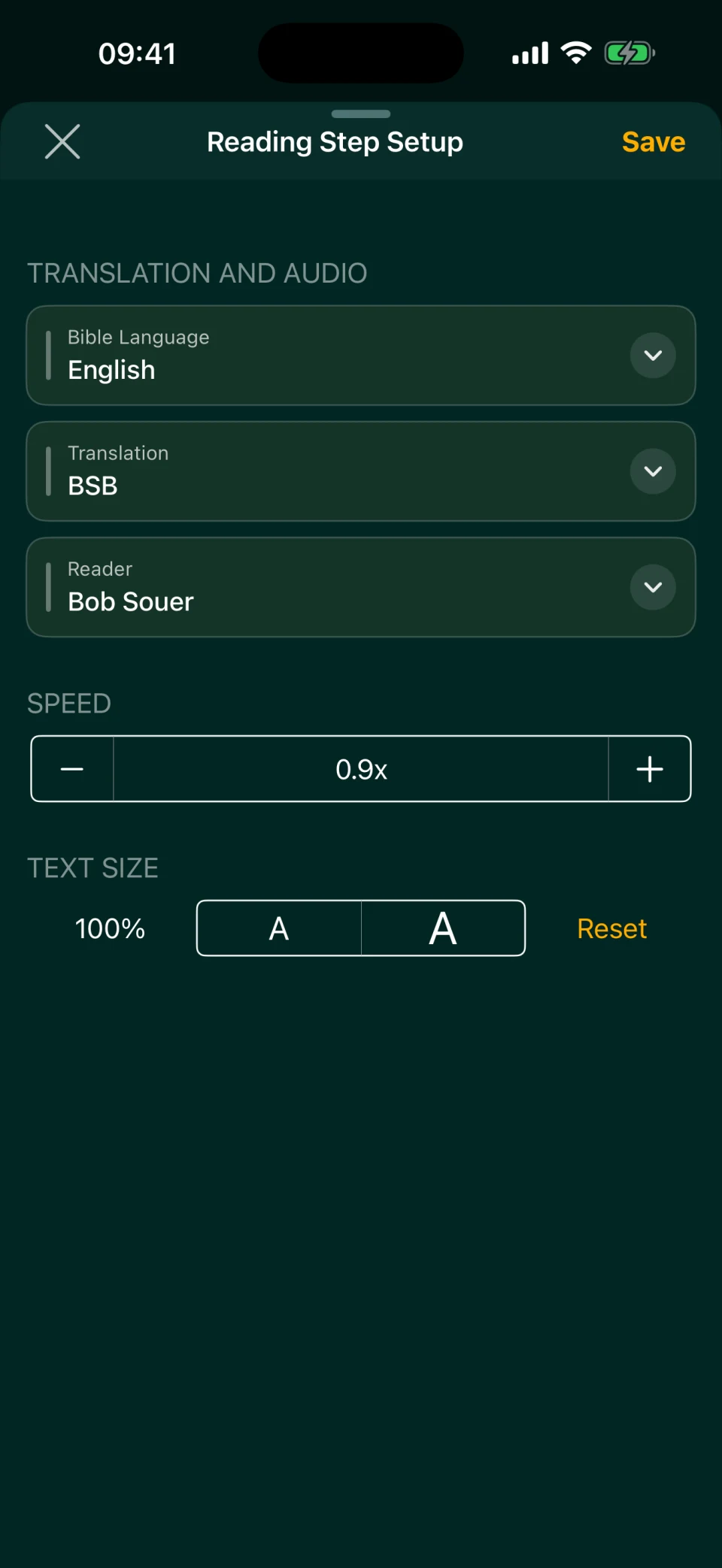
Each reading step in Multi Reading has its own speed, from 0.5× to 2.5× in increments of 0.1. There is no shared speed control. You could play familiar English at 1.2× and slow a Ukrainian reading to 0.8×, or slow both English translations while studying a difficult passage.
Text size is separate for each step too. If you are listening to Ukrainian but mainly following the English text, make the Ukrainian text smaller to fit more verses on screen.
In Classic Reading, which uses one translation, change the speed directly in the player: 0.6× to 2× in increments of 0.2. The app remembers that setting.
Pauses: time to take in what you hear
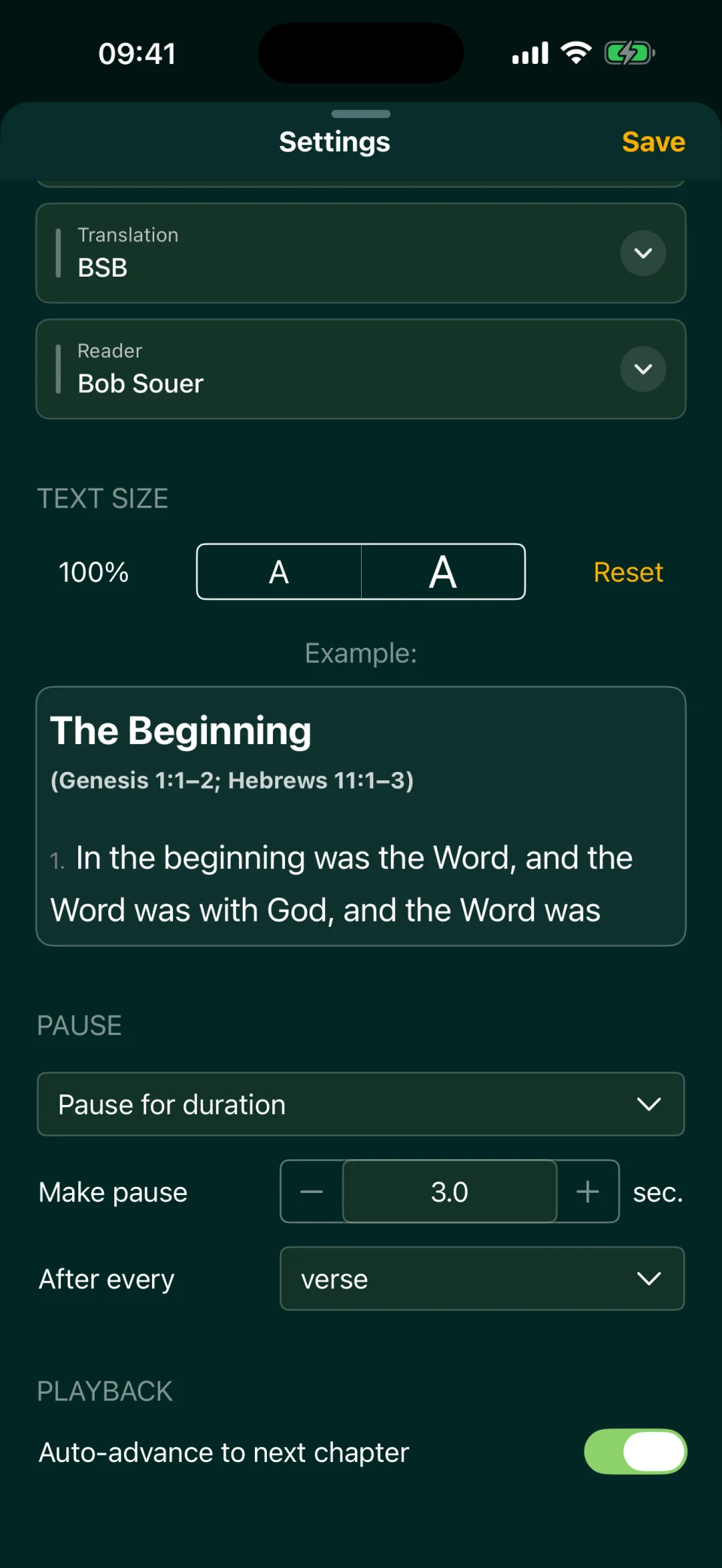
Both modes offer pauses, but they work differently.
| Multi Reading | Classic Reading | |
|---|---|---|
| Where the pause goes | A separate step anywhere in the sequence | After each verse, paragraph, or section, and between chapters |
| Length | 1–60 seconds | 0–60 seconds, including fractions of a second |
| Wait until you tap Play | No | Yes: a full stop |
For reading with a journal open, use Classic Reading and set a full stop after each paragraph: the narrator finishes the paragraph and waits for you to tap Play. In Multi Reading, timed pauses end automatically, so you can listen while walking without touching the screen. If a pause feels too long, tap Play to skip it and start the next step.
Five reading setups to try
In these setups, BSB uses Bob Souer unless David is named; WEB means the US edition (WEBUS), read by Winfred Henson; Ukrainian Khomenko uses Ihor Kozlov. Times are approximate averages for one chapter of Mark at 1×, except where another speed is shown. They are calculated from the app's audio durations measured on October 4, 2026, adding recorded passage fragments and pauses; pause counts follow the first translation. For comparison, a chapter of Mark in Bob Souer's BSB recording without added pauses averages about 5 minutes.
| Setup | Steps | Read by | Try it for | Mark chapter |
|---|---|---|---|---|
| Two English translations | BSB → 2 sec → WEB → 2 sec | Verse | Compare two modern renderings; in the Old Testament, WEB uses “Yahweh” where BSB uses “LORD” | ≈ 13 min |
| One verse, two voices | BSB (David) → 5 sec → BSB (Bob Souer) | Verse | Say the verse aloud in the pause, then hear it again; both readings have identical wording | ≈ 13 min |
| Slow reading with room to reflect | BSB at 0.8× → 6 sec | Paragraph | Listen to a complete thought, then take a breath before the next | ≈ 8 min |
| English and Ukrainian | BSB → 2 sec → Khomenko → 2 sec | Verse | Families in which children follow English more easily and adults prefer Ukrainian | ≈ 14 min |
| Hear the whole story twice | BSB → 10 sec → WEB → 10 sec | Section | Follow a whole episode before hearing another translation | ≈ 12 min |
For the difference between parallel and bilingual Bibles, see Bilingual Bible App. English–Russian families can replace Khomenko with Synodal, read by Ilya Prudovsky; Russian English Bible covers translation pairs and language order. For language practice, put the language you know first and leave time to repeat the second reading aloud — see Learn English with the Bible. Estimate a setup's time for the whole Bible with the calculator in How Long Does It Take to Read the Bible?.
Check alignment before pairing Psalms. Multi Reading pairs chapters with the same number and verses in order. BSB, WEB, and WEB's British edition use Hebrew psalm numbering; Russian Synodal, Kulakov, and Ukrainian NPU use Greek numbering. Mixing those systems plays different psalms. Khomenko uses Hebrew numbering too, but counts psalm headings as verse 1 in many psalms, shifting its verses against English in 60 of them. Use BSB + WEB for comparing Psalms in English: their psalm numbers and verse counts match throughout all 150. For Ukrainian alongside English, listen to the Psalms separately in Classic Reading. See Listen to Psalms for reading options.
Other books can have differences too. Khomenko has three chapters in Malachi, while English Bibles have four, so do not use that pair for Malachi 3–4. Russian Synodal places the doxology found in English Romans 16:25–27 at the end of chapter 14. Even BSB and WEB differ in verse counts in some chapters outside Psalms; after a difference, the next reading may be offset. The bilingual reading guide explains these limits.
Navigation, narrators, and progress
The controls below the Multi Reading text take you to the beginning of the previous or next verse, paragraph, or section; the previous or next translation within that passage; or the neighboring chapter. Missed the Ukrainian reading? During the pause after it, tap the previous-translation control to hear it again. Multi Reading stops at the end of a chapter; you start the next chapter yourself. Classic Reading can advance automatically.
Choose a narrator for each reading step. BSB has Bob Souer and David; WEBUS has Winfred Henson, while the British edition's narrator is uncredited. Khomenko is read by Ihor Kozlov. Russian Synodal has Ilya Prudovsky without music and Alexander Bondarenko with music; Bondarenko's recording lacks 1 and 2 Chronicles, Song of Songs, and Isaiah. Preview a voice before choosing it, or explore Audio Bible Narrators.
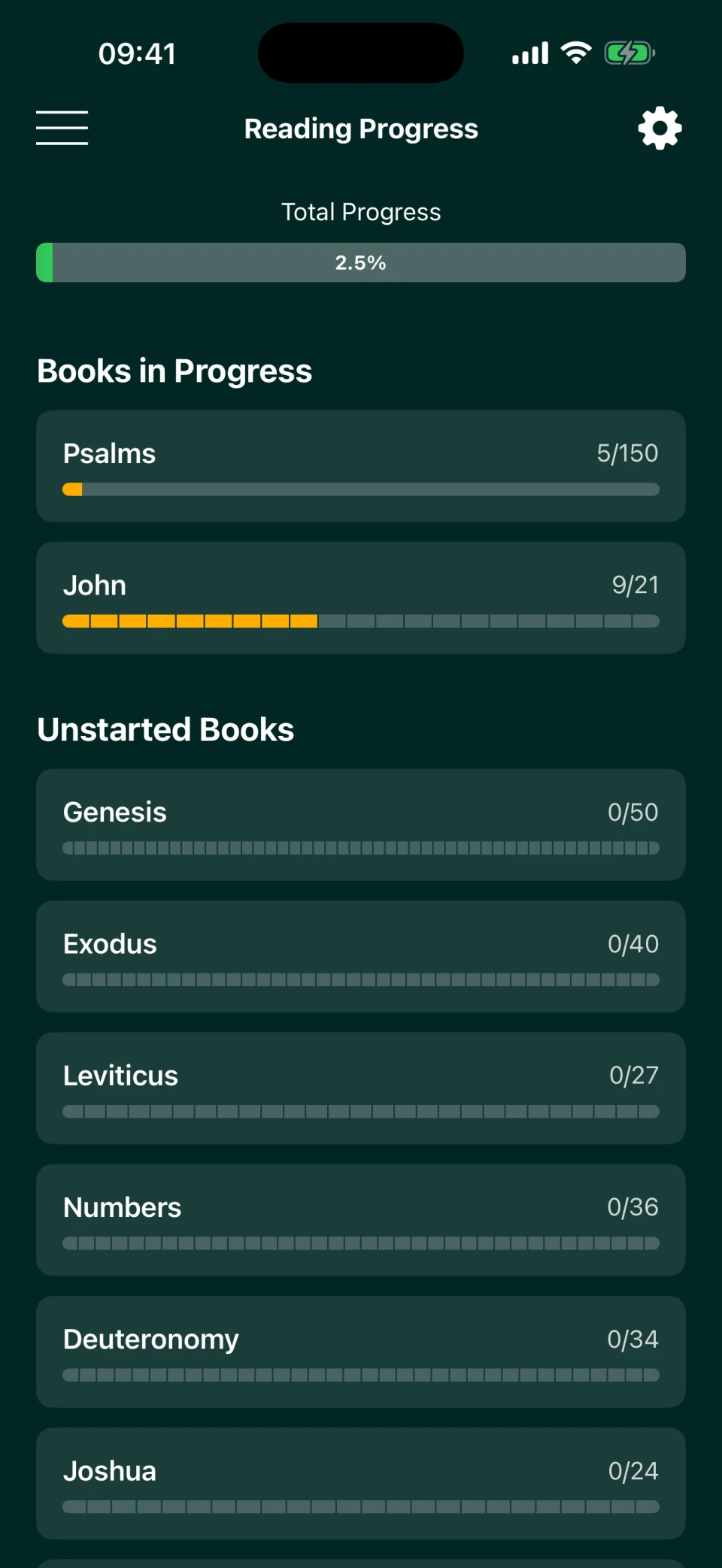
The app automatically marks chapters as read in Multi Reading too, and you can mark them manually. The progress screen shows your percentage of the Bible completed and which books you have read.
Audio needs an internet connection; you cannot download it ahead of time yet. Bible Garden is free, with no ads or in-app purchases, and its code is open source. A web version and Android app are in our plans.
Frequently asked questions
How many translations can I add to one setup?
There is no limit. Combine English, Russian, and Ukrainian, or use several readings in one language. Check audio coverage: Alexander Bondarenko's recording omits four books, and Ukrainian NPU has audio only for the New Testament and Psalms. You need at least one reading step; a sequence cannot consist only of pauses. Each added reading also adds listening time: three readings take roughly three times as long as one before pauses.
Can Multi Reading pause until I tap Play?
No. Multi Reading uses timed pauses of 1–60 seconds. For a full stop after each verse, paragraph, or section until you tap Play, use Classic Reading.
Which translations can I pair for Psalms?
BSB and WEB have matching psalm numbers and verse counts. English paired with Russian or Ukrainian NPU plays different psalms because their numbering systems differ. Khomenko shares English psalm numbering but often counts a heading as verse 1, shifting the verses. Use Classic Reading to hear those languages separately.
Will my reading setup be saved?
Yes, if you save it as a template. You can rename, update, or delete it on this device. Templates do not transfer to another iPhone or iPad; there is no syncing.
Can I listen without an internet connection?
Not yet. Audio streams from the internet and cannot be downloaded in advance.
Is Bible Garden available for Android or a computer?
Currently it is for iPhone and iPad. A web version for listening in a browser and an Android app are in our plans.