"I have hidden Your word in my heart that I might not sin against You" (Psalm 119:11, BSB). To make a verse stick for the long run, four steps are enough:
- Pick one short verse and make sure you understand it.
- Learn it out loud, phrase by phrase, together with the reference.
- Test yourself: say the verse from memory instead of rereading it.
- Review at growing intervals: the next day, then on day 3, day 7, day 14 and day 30.
Below is each step in more detail, plus how audio can help. In the free Bible Garden app for iPhone and iPad, you can add a pause after every verse to repeat it, or hear every verse twice in a row. Quotations here are from the Berean Standard Bible (BSB) and the World English Bible (WEB), both available in the app.
Pick a verse and understand it
Start with a verse you actually need: a comfort, a promise, a command you want to keep in mind. Short verses are easier. "I can do all things through Christ who gives me strength" (Philippians 4:13) is 11 words in the BSB; John 3:16 is 27.
Before you start memorizing, read the paragraph before and after the verse. The Navigators, a Christian ministry known for Scripture memory, recommend this: a verse out of context is easy to misread. Text you understand is also easier to remember. Memory researchers have long held that working with meaning leaves a stronger trace than rote repetition (Craik & Lockhart, 1972).
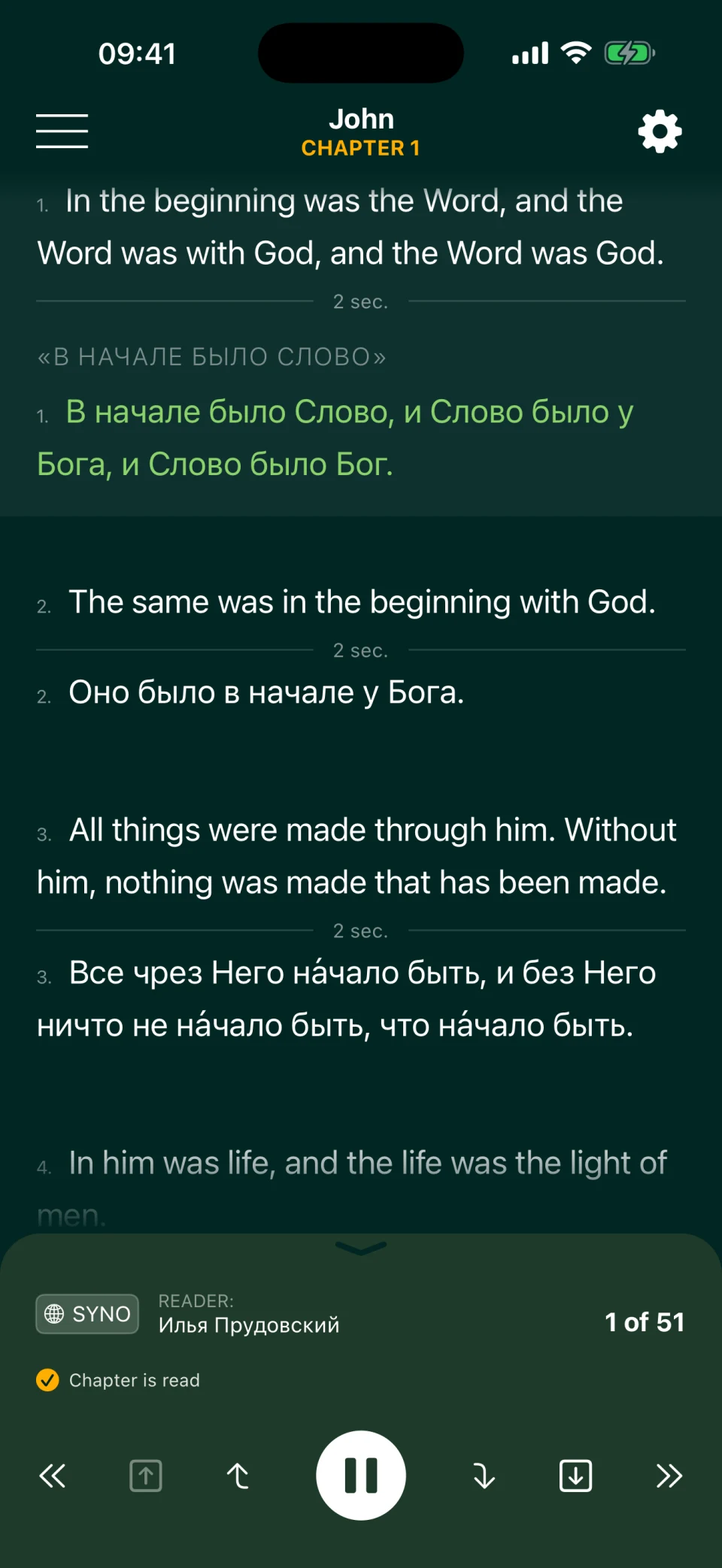
Memorize in one translation: the one you read yourself or hear at church. A second translation works like a commentary. Compare Psalm 23:1:
| BSB | WEB |
|---|---|
| The Lord is my shepherd; I shall not want. | Yahweh is my shepherd; I shall lack nothing. |
The WEB makes plain what the older phrase "I shall not want" means: not "I won't wish for anything," but "I won't lack anything." For Philippians 4:13, the BSB says "Christ who gives me strength," while the WEB says "Christ who strengthens me." You can listen this way in Bible Garden, too: in Multi Reading, a verse plays first in one translation, then in the other, and the second translation appears on screen under each verse. For how the English translations differ, see Which Bible Translation Is Best?
Learn it out loud, phrase by phrase
Break the verse into meaningful pieces: "Trust in the Lord with all your heart, / and lean not on your own understanding; / in all your ways acknowledge Him, / and He will make your paths straight" (Proverbs 3:5–6, BSB). Learn the first piece, add the second, say both, and keep going to the end.
Say it out loud, even in a whisper. In experiments by Colin MacLeod and colleagues, people remembered individual words they had read aloud better than words they had read silently (MacLeod et al., 2010). Those studies used single words, not passages, but saying what you memorize out loud is a simple and time-tested habit. Learn the reference with the text, too: say "Proverbs 3:5–6" before and after the verse. Otherwise you'll remember the words but not where to find them.
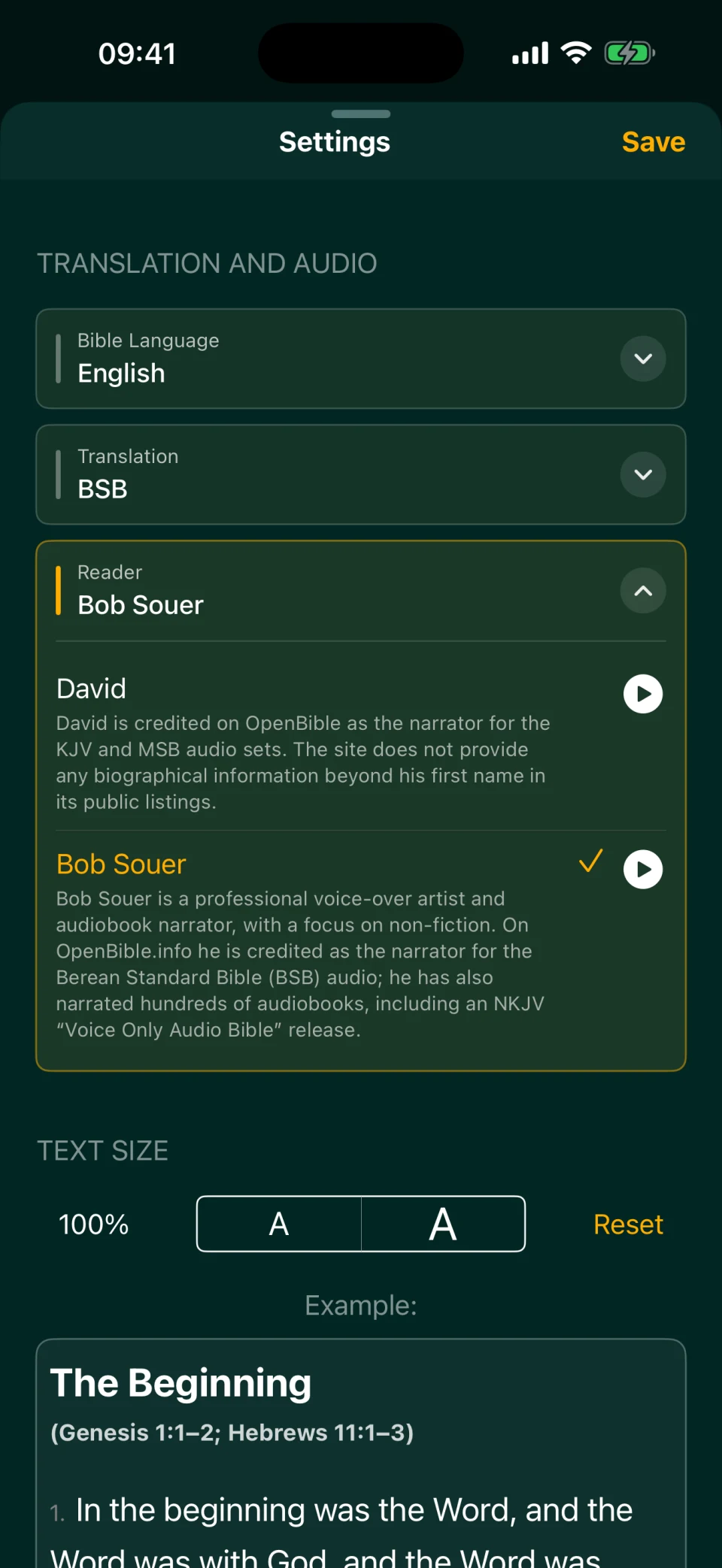
Choose a voice you find easy to follow: Bob Souer reads the BSB, and Winfred Henson reads the WEB. Listening helps you pick up the rhythm and phrasing. In Bible Garden's Classic Reading settings, you can add a pause after every verse, for a few seconds or until you tap Play. The narrator reads a verse, and you repeat it aloud during the pause. For the first few listens, slow the audio to 0.6× or 0.8×, then return to normal speed. For using the same listen-and-repeat habit to learn a language, see Learn English with the Bible.
Test yourself instead of rereading
The most common mistake is rereading a verse over and over. It feels learned, but a few days later only fragments are left. In an experiment by Henry Roediger and Jeffrey Karpicke, students studied prose passages in one of two ways: they reread them or wrote down everything they could recall. Five minutes later the rereaders remembered more; two days and a week later, the students who had practiced recall remembered more (Roediger & Karpicke, 2006). In a review of ten study techniques, John Dunlosky and colleagues gave practice testing and spaced practice their highest rating and rereading a low one (Dunlosky et al., 2013).
Ways to test yourself without an app:
- First-letter method. Write down only the first letter of each word: "I h h Y w i m h t I m n s a Y" is Psalm 119:11. The letters give you a nudge, but you still have to recall each word.
- Write it from memory. Write the verse on paper without looking, then check it and underline your mistakes.
- Verse card. Put the reference on one side and the text on the other. Look at the reference, say the verse, flip the card.
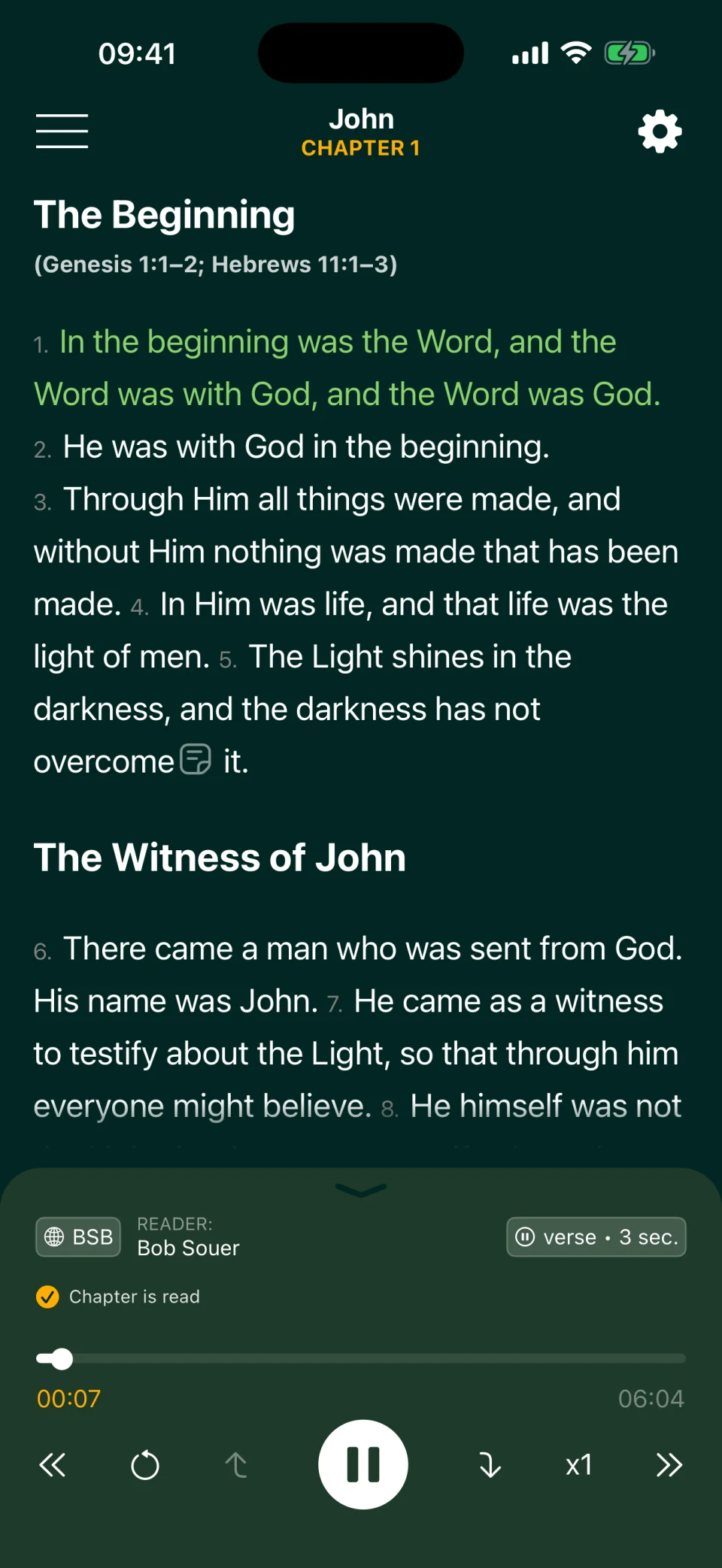
In Bible Garden you can test yourself by ear. Once a passage is somewhat familiar, set a longer pause after each verse, 10 to 15 seconds. During the pause, say the next verse from memory; then the narrator reads it, and you hear right away where you slipped. The app has no repeat button. To hear a verse again, tap the previous-verse button: playback jumps to the exact start of the previous verse. And if you stop playback, you can use the arrows to pick any verse in the chapter, and Play starts from there.
Every verse twice: Multi Reading
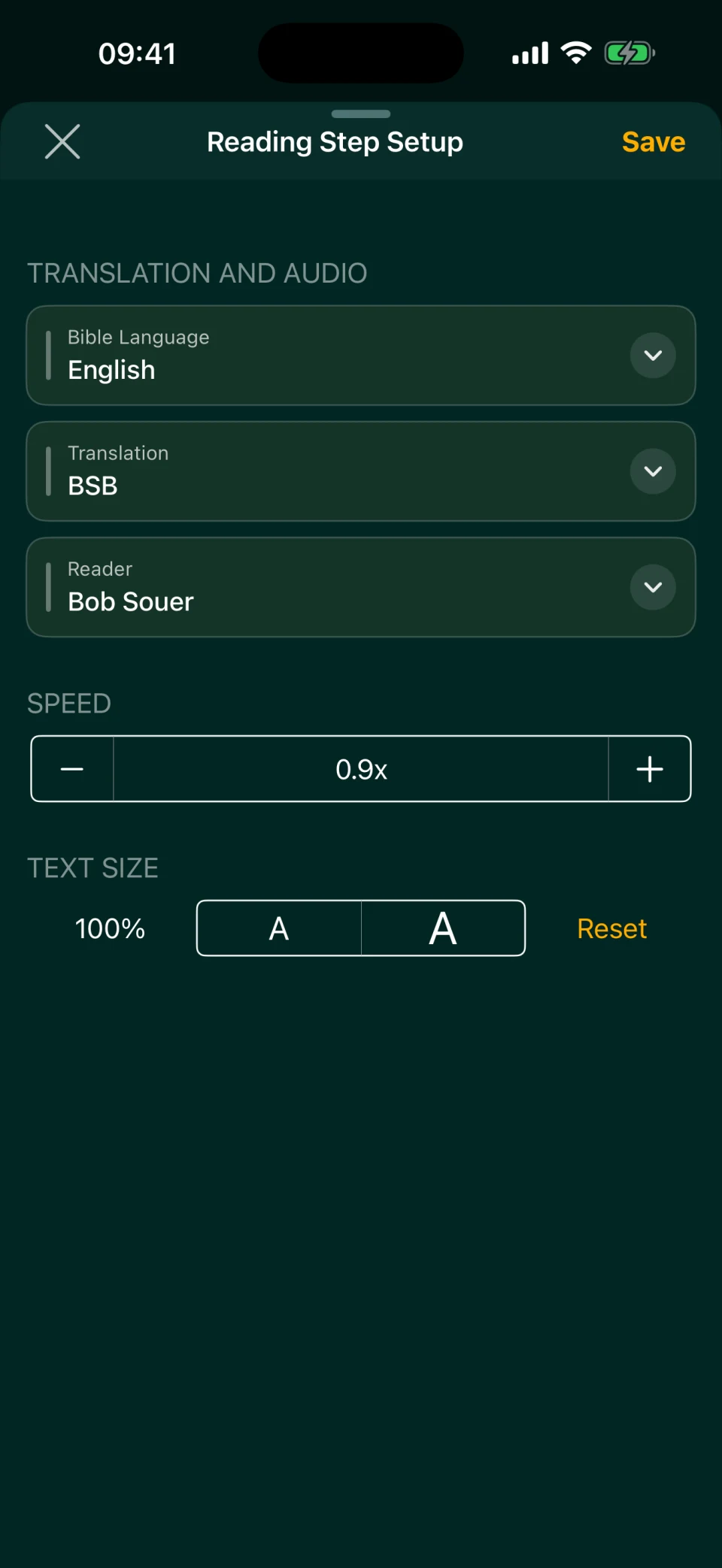
In Multi Reading, you can hear every verse twice in a row. Build a sequence: BSB → 5-second pause → BSB again → 5-second pause, and choose to alternate by verse. Each verse plays twice, with time after each reading to repeat it aloud without touching the screen. You can add a third reading, or make the second one WEB to catch the meaning.
It helps to give the readings different speeds: the first one slower, the second at normal speed. In Multi Reading, speed is set for each step separately, from 0.5× to 2.5×. A pause can be 1 to 60 seconds; unlike Classic Reading, Multi Reading can't stop until you tap Play. Save the setup as a template, say "Memorize," so you don't have to build it each time. For setup details, see Bilingual Bible App.
Two readings with pauses take longer, but not much for memorizing. Read by Bob Souer, the six verses of Psalm 23 take about 35 seconds of speech; with this setup at normal speed, about two minutes.
A whole passage: Psalm 23
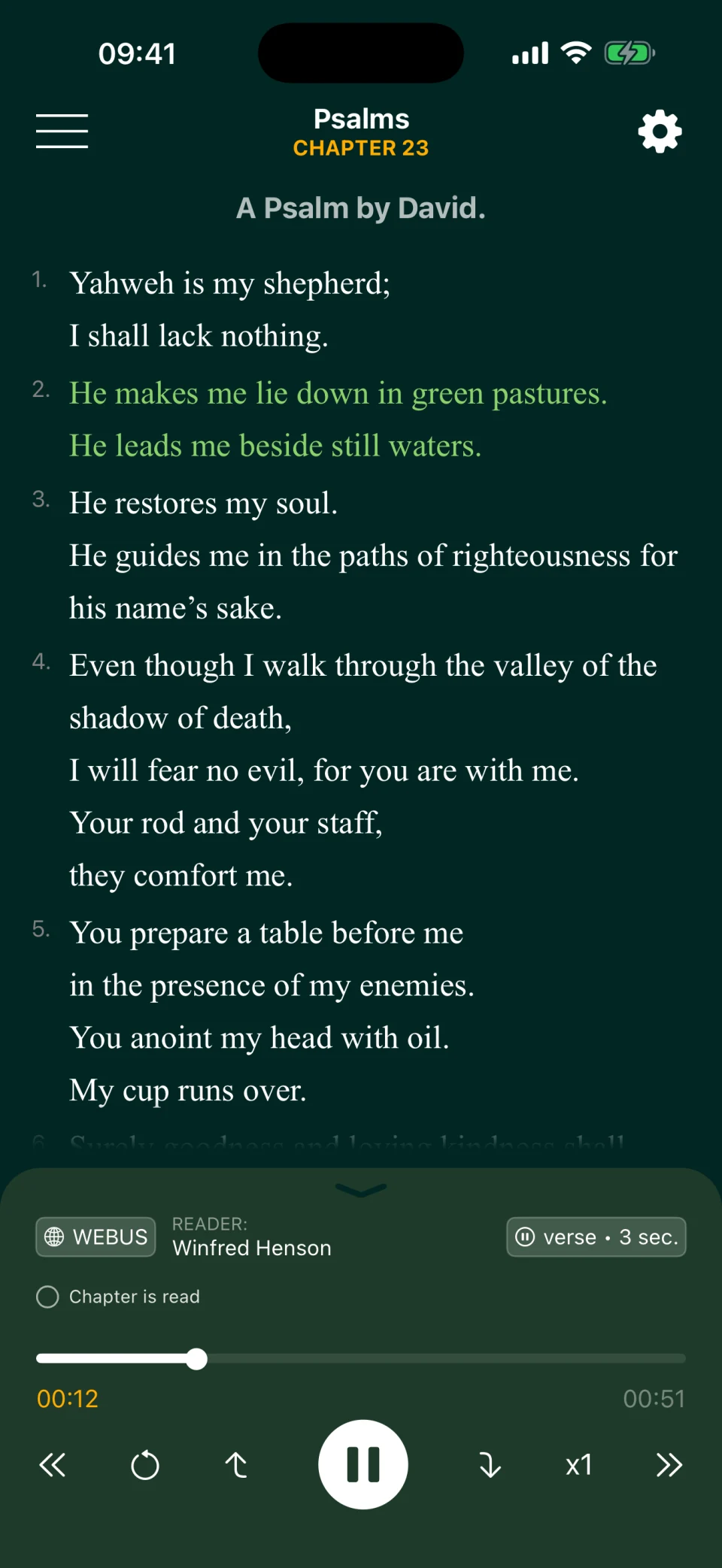
You learn a passage the same way, verse by verse, but as a chain: once you know verse 1, learn verse 2, then say both together; once you know verse 3, say all three. Practicing the verses together helps you remember how one leads into the next.
Psalm 23, "The Lord is my shepherd," is a good first passage: six verses, and nearly each one is a complete thought. Here's one way to go about it:
- Listen to the whole psalm in Classic Reading while following the text on screen.
- Learn one verse a day with a pause after each verse, repeating it aloud during the pause.
- Start each day with the verses you already know and add the new one at the end.
- After a week, play the psalm with a 10–15 second pause after each verse, and in each pause say the next verse from memory.
The BSB and WEB use the Hebrew psalm numbering found in most English Bibles, so Psalm 23 is Psalm 23 in both, and you can pair them in Multi Reading. In the app's Russian translations and the Ukrainian NPU, the same psalm is number 22, so don't pair those with English for the Psalms: the verses won't line up. More on listening to the Psalms in Psalms Audio.
Review at growing intervals
A verse you've learned fades if you don't come back to it. Spacing helps: studies consistently show that reviews spread out over time stick better than the same number of reviews done back to back (Cepeda et al., 2006). The longer you want to remember something, the longer the gaps can be (Cepeda et al., 2008).
Here's a sample schedule for a new verse, counting days from the day you learned it:
| Review | Day |
|---|---|
| 1 | Day 1 (the next day) |
| 2 | Day 3 |
| 3 | Day 7 |
| 4 | Day 14 |
| 5 | Day 30, then once a month |
A review means saying the verse from memory, not reading it. If you can't, peek, repeat it, and test yourself again the next day, then stretch the gaps out again. If a verse stays put easily, make the gaps longer; if it keeps slipping, make them shorter.
Bible Garden has no reminders, bookmarks or notes, so keep a list of your verses and dates on paper or in your phone's notes. Reviews are easier to keep up when they're tied to your daily reading: five minutes on old verses before you open a new chapter. For building the reading habit itself, see How to Read the Bible Every Day. Start with one verse a week: in a year that's more than fifty verses, with a routine for keeping them fresh.
Bible Garden runs on iPhone and iPad, and listening requires an internet connection. The app is free, with no ads or purchases; a web version and Android are in our plans.
Frequently asked questions
How many verses should I memorize a week?
Start with one. Add new verses only when your old ones come back without mistakes on schedule. Otherwise you'll pile up more verses than you can keep reviewing.
Which translation should I memorize?
The one you read and hear most often. If your church reads the NIV, ESV or KJV, memorize in that one, even though those translations are not in Bible Garden; the app offers the BSB, the WEB and its British edition, WEBBE. Stick to one translation, or the wording of different versions will get mixed up. A second translation helps with meaning, but there's no need to memorize it too.
Why do I forget verses I've memorized?
Usually because the reviews stop after the first few days, or reviewing turns into rereading. Say the verse from memory and come back to it at growing intervals: the next day, then on day 3, 7, 14 and 30.
Can I memorize a verse just by listening?
Listening many times makes a verse familiar, but familiar isn't memorized. You need to say it yourself: first after the narrator, then from memory before the narrator reads it. To repeat the verse you just heard, use a timed pause or a full stop until you tap Play. To recall the next verse before hearing it, use a 10–15 second timed pause; the narrator then moves on automatically.
Does Bible Garden have a repeat button or flashcards?
No: the app has no repeat button, flashcards or review schedule. To hear a verse again, use the previous-verse button, which jumps to the exact start of the previous verse. Or use Multi Reading: add the same translation as two steps in a row and choose to alternate by verse, and every verse will play twice.